
01It's broken. What do I send?
Email support@angerfishaudio.com with four things: the plugin and its version (shown in the plugin's tip bar), your DAW and its version, your macOS version, and what happened, in the order it happened. If a hosted plugin was in the slot, name it. A short screen recording shortens the reply by a round trip.
Please also send EchoHost's log. It's a small file EchoHost writes as it runs, and it shows us what happened just before things went wrong. To find it:
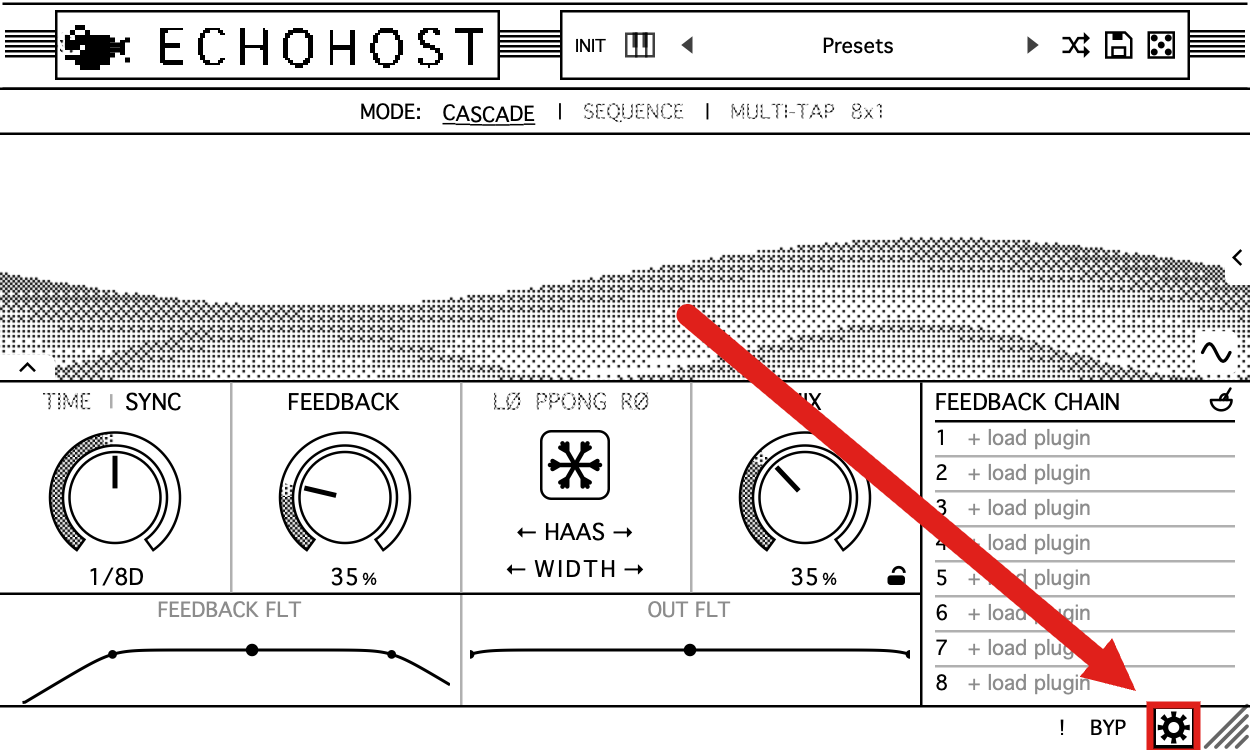
In EchoHost's window, click the gear at the bottom right. Preferences opens.
Click Reveal Log in Finder. A Finder window opens on the EchoHost log folder. If EchoHost won't open at all, go there from Finder instead: choose Go → Go to Folder, type
~/Library/Logs/EchoHostand press Return.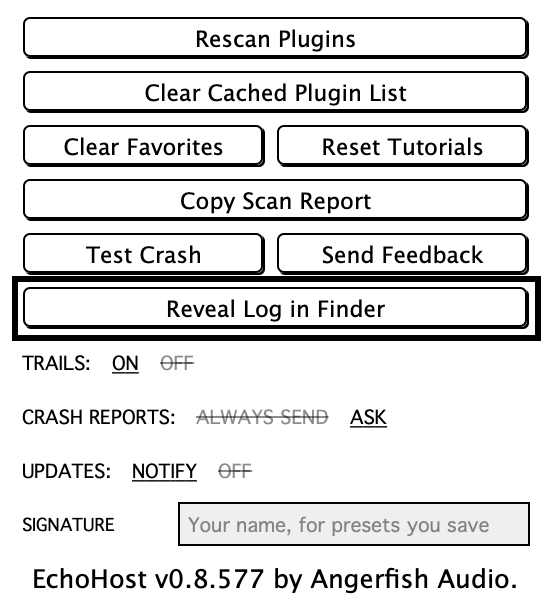
Attach the log file, echohost.log, to your email to support@angerfishaudio.com.

02Activation won't work
Your licences live in the account made at checkout. Hit the machine limit, or never got the account email? Email us from your purchase address and say which machine. No internet on that machine? Activate it by file.
03Refund policy
Within 30 days, no reason needed. Reply to your receipt, or email us from your purchase address with the order number.